
Note:
① If the sound quality of the factory version meets your requirements, we do not recommend upgrading the software version
② Before upgrading this version, please make sure your factory software version is V81 or V83 (Not suitable for V018/ V019 or T20/T019、V45), if you are not sure, please contact support@ultimea.com
Improvement points:
① Modify the bass volume adjustment to 5 levels: -2, -1, 0, 1, 2, with buttons on both sides, adding "-" and "+" controls
② Modify the surround volume adjustment to 4 levels: -2, -1, 0, 1, with buttons on both sides, adding "-" and "+" controls
③ Improve sound quality
④ Add the volume memory
Specific Method:
1. Copy the "update.zip" file to the USB flash drive.
Note:
① Use an empty USB flash drive, USB format: FAT32, 128GB or less capacity;
② The file doesn't need to unzip;
2. After the Soundbar is turned on, insert the USB flash drive into the USB port, WAITING will be displayed, and then it will automatically upgrade and the progress will be displayed. Automatically standby after the upgrade is completed.
3. Press and hold the button on the right side of "surround" for 5 seconds. If the display shows "V109", it means the upgrade is successful.
- update.zip6 MB
Comments
85 comments
Bonjour Max.
Nous sommes désolés pour la gêne occasionnée.
Nous avons transmis les résultats de votre test à notre département produits.
Je vous contacterai dès que j'aurai trouvé la cause du problème et la solution.
Nous vous serions reconnaissants de nous fournir plus de détails sur les problèmes ou les suggestions concernant le logiciel V130. Nous pourrons ainsi mieux savoir comment l'améliorer en fonction des besoins de nos clients.
Votre patience et votre contribution sont vraiment appréciées !
Bonjour,
Voilà j'ai installé la V131, toujours la même chose : pas de réglage du niveau de son avec la télécommande de la TV.
Autre chose :
Pour les updates sur clé usb, j'ai constaté qu'il vaut mieux formater en FAT32 la clé et copier le "zip" sur un port USB 2 du pc. A toutes fins utiles.....
Bonjour Max,
Il se peut qu'il y ait un problème de compatibilité TV CEC, nous sommes désolés de ne pas avoir le même modèle de TV que le vôtre à tester pour le moment, mais nous demandons au fournisseur.
Par ailleurs, pourriez-vous nous faire part de votre expérience et de vos suggestions concernant le V131 ?
Nous espérons qu'il vous satisfera, ainsi que la plupart de nos clients, en termes de résultats audio.
Nous vous remercions sincèrement !
Hello everyone,
Please excuse me for trying to ask you all a question:
Some customers have reported that when copying software to a USB stick, the PC keeps popping up a window with a "cancel" button, after clicking the cancel button, the software cannot be successfully copied to the USB flash drive and the soundbar cannot detect the software.
Has any customer encountered and successfully solved this problem?
I'm guessing it may be caused by the USB stick or computer format but can't say for sure.
Any help and suggestions would be appreciated! Thanks!
1. Je suis globalement très satisfait de la V131, un peu surpris par le changement du niveau de son, en V109 j'écoutais entre 8 et 12, maintenant entre 40 et 50. C'est certainement à cause de la "plage" plus grande pour le niveau
2. Concernant le problème "USB upgrade", j'en ai fait plusieurs V109 vers V130 retour V109 puis vers 131, retour 109 puis vers 131 définitif. J'ai parfois eu des problèmes avec 2 ou 3 flashdrive de marque différentes sauf si je suis cette méthode :
utiliser un port USB 2 sur mon pc pour formater et/ou copier le "zip"
éjecter "proprement" la clé usb
enlever le câble HDMI eArc de la barre
allumer la barre
sélectionner la source "USB"
introduire la clé usb
l'upgrade se lance sans problème
J'ignore si tout est nécessaire mais ca marche
Bonne journée
Hi is there any chance you could sort the bass out I'm on v130 and it's still way to loud on -1 and -2 there is no bass at all so there is nothing in between it also sounds really hollow especially when playing my playstation 5
Hello Max & Craig,
Thank you for sharing!
Based on the recently collected suggestions for V109 and V130 &V131, our technical department has developed a new version of V132 today.
Improvement points:
Comparison 131:
① Adjusted the mid-frequency a bit to make the sound clearer
② Added BASS level: adjusted from -2~2 to -6~6, a total of 13 levels
③ Added Surround level: adjusted from -2~2 to -3~3, a total of 7 levels
Suggestion: Do not adjust the bass and surround sound to the highest level at the same time, as it may cause the sound to be a bit unclear.
May I ask if it is convenient for everyone to help us conduct V132 testing again and provide feedback?
If needed, please leave a message and I will send it to you via email.
If you are willing to click the V131 article to view and publish your feedback on V132, we would be grateful. (V131 Comments)
After collecting feedback that most of the customers are satisfied with, I will publish it on the website.
Hi yes could I have the v132 software please
Me Too
Ready to test
Ultimea Support, i am interested in the v132 also 🤗
?????
Hi Adrian Andrei & Max,
Sorry for not being able to reply to you promptly over the weekend. We have sent the software installation package to your email. Please confirm if you have received it.
Thank you for helping us test V132!
Buenas tardes ..necesito ayuda ..hoy al realizar la actualización a la versión v109..se ha quedado bloqueado el equipo y no hacía nada ..lo desenchufe y lo volví a enchufar a la corriente y ahora no enciende ..me pueden dar alguna solución
Boa tarde Alberto,
A mim aconteceu o mesmo durante uma actualização.
1 - Muda a pen para uma mais recente, possivelmente este problema acontece porque a pen é lenta ou antiga.
2 - Grava o mesmo software na pen, igual ao software que tinhas actualmente na soundbar.
3 - Liga a soundbar à tomada, com a pen inserida e aguarda vários minutos. Em principio, ela irá ressuscitar ao fim de algum tempo.
Se não resultar, volta a repetir o procedimento 3.
Je reviens avec mon problème. Suite à des problèmes de communication eArc, j'ai constaté en fait que la télécommande TCL n'agit que sur la fonction "mute" éteindre/allumer le son. Pas d'action sur le niveau du son, ni sur éteindre/allumer la barre son. De plus je comprends jamais dans quel mode est la barre, il n'y a aucun témoin d'état, donc je ne sais pas si elle est éteinte, en veille ou active (tout est noir)
J'ai consulté la notice mais il n'y aucune explication sur les affichages de l'enceinte.
Merci
Buenas noches ..después de estar usando desde ya hace unos cuantos días la versión V109 puedo decir que en cuestión de sonido para mí es la mejor versión de todas las que he probado pero he detectado un fallo con la función EARC y es que en ocasiones cuando enciendo le televisor mi TV Hisense no reconoce la barra de sonido aunque en el televisor este seleccionada a opción HDMI EARC por lo que tampoco me funciona la función CEC para controlarla con el mando de la TV . Imagino que esto se debería solucionar en próximas actualizaciones por eso os comento este fallo que estoy detectando en esta versión. Por lo demás para mí en tema de sonido es .la.mejor que hay hasta el momento.
Encore une remarque : sur toutes les versions, je constate qu'en cas d'extinction de la barre de son (donc 3 secondes sur la touche arrêt), je suis obligé de démarrer la TV AVANT la barre de son, j'ai alors sur la TV le message " son connecté " et affichage "EARC" en facade. Le son fonctionne
Si j'allume la barre de son AVANT la TV, la barre de son affiche ARC en facade, aucun message de connexion sur la TV et l'affichage ne passe pas sur "EARC" en facade. Pas de son
Ceci avec une TV de marque TCL
Ceci pourra peut-être aider d'autres utilisateurs
Hello, I am having a problem with my Poseidon D60 soundbar. If you can help me or if you have a solution to this problem, I'm interested. I connected my soundbar to my TV, a Philips 65pus7506, I use HDMI earc and HDMI CEC. the soundbar works well for the first start, but when I turn off the TV and turn it back on, the TV does not detect the soundbar and I have to unplug and plug it back in. soundbar so that it is detected by the TV. I use customized software-V109.
Bonjour,
Comment connaître la version logicielle installée sur la barre?
HDMI EARC s'est connecté une fois sur un TV LG en Arc, depuis plus de connexion malgré me "Simplylink Lg" activé....
D'autre part, des grésillements/bourdonnements continus sont audibles dans les enceintes satellites. Quel en serait la raison? Y aura-t-il une mise à jour pour remédier au désagrément ?
Merci pour vos retours.
Hey guys, I found a way to greatly improve your listening experience today and I'm sharing it with you. All you have to do is tilt your rear speakers towards your ears like above picture. I tried this today and it was great, the fidelity of the surround channels increased significantly and the surrounds felt much fuller!
Hello all,
I went back to this one and reconfigured my Linux. This firmware has the best sound quality. But yes, it also has issues with both FR and SR's volumes compared to the others. And the bleed-through from front to rear.
Blue WindyAdrian AndreiGeschmigr etc - I hope I'm not missing anyone -
Switch to Linux. Preferably a stable Debian or Arch based distro. Use pulseaudio with ALSA.
If it doesn't already exist, create a .asoundrc file in your ~/ home directory with this configuration (or put it in in /etc/ if you want to use it systemwide. In that case, it should be named "asound.conf")
I had to swap by RL and RR because I physically swapped the cables for testing.
Next, in your /etc/pulse/default.pa, load the original device, and the remapped one (better, so you can switch between both in Audio Controls for testing). Load the passthrough module (this is essential for passing through Atmos etc). **Remove the load-module module-udetect-udev** below. If you don't, it will override your previous two modules. I chose to remove it, you can choose to comment it out.
Make sure to set Float32 as the format, and specify the correct channel mapping.
Here is part 1 of the configuration of daemon.conf with explanations in comments -
Here's part 2 -
Et voila!
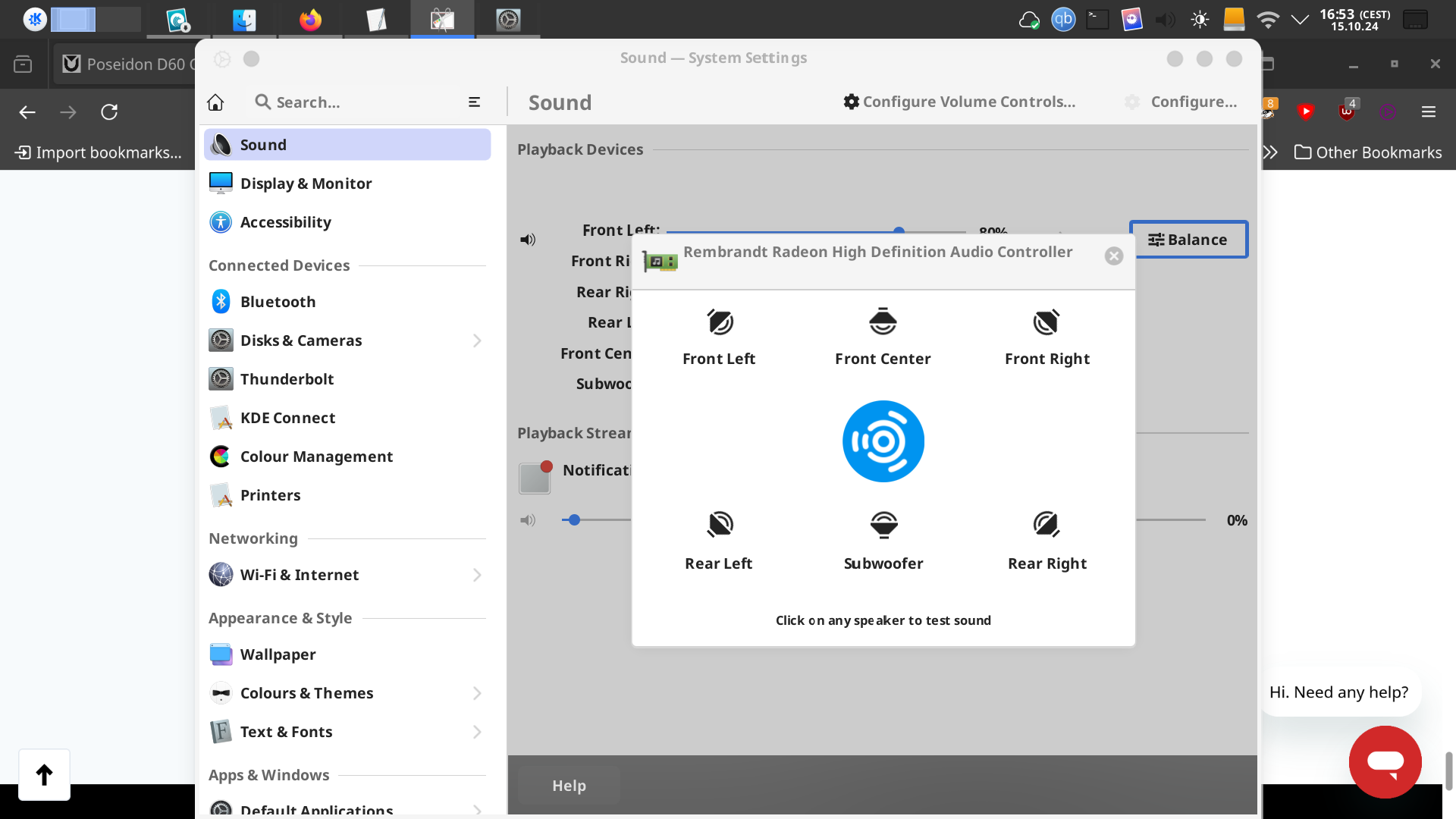
And here I can control the volume of each channel individually!
As you can see, I have to play with FR and RR to achieve some "balance".
So yes, Ultimea Support Ultimea Service (US) please guys, all you need to do is take this version and fix these things - 1. Gains. 2. Separation. 3. CEC issue for the others. 4. More granular bass and surround.
That's it. That's all that you guys need to fix! Don't mess around with anything else! Leave the rest of the DSP alone! Set your LFE separation to 80Hz and leave it alone!
Buenos días amigos
Ya estoy cansado de esperar una buena actualización para mi Poseidón D60, acabo de contactarlos para regresar el equipo para comprar una marca más reconocida, espere las instrucciones para hacer la devolución y recibir mi reembolso, que falta de profesionalismo y soporte de Última, están perdiendo muchos clientes y credibilidad por no dar soporte a los problemas de nuestro Poseidón D60
Bonjour,
Effectivement plus de nouvelles et aucune amélioration.....
Franchement décu....
Je viens de recevoir la d60 model 2023, j’ai une télé hisence, dès que je branche le hdmi arc, celle ci se connecte puis se déconnecte en boucle ( son 2s sur la barre puis s’éteint). Ma télé affiche hdmi arc déconnecte, j’ai vérifier le port hdmi arc de ma tv il fonctionne et j’ai acheter un nouveau câble hdmi, toujours le même problème . A quand la résolution de l’arc sur tv hisence
Merci
Bonjour boisvincent6 , quel version de firmware à tu?
Please sign in to leave a comment.